When shopping for office equipment, one of the most important decisions is whether your business needs a color copier or a black-and-white machine. Sharp copiers and other multifunction printers are available in configurations designed for different workloads, but the best option depends on what your employees print every day.
For Las Vegas businesses, choosing the right equipment can help balance printing costs, document quality, and productivity.
A real estate company producing property brochures has different requirements from an accounting firm printing financial statements. A construction office may need detailed diagrams, while a small administrative office may primarily produce invoices and internal paperwork.
Here’s how to decide which type of copier makes sense for your business.
What Is a Black-and-White Copier?
A black-and-white copier produces monochrome documents, typically using black toner.
These machines are often suitable for offices that primarily print text-based documents, including:
- Invoices
- Contracts
- Internal reports
- Employee paperwork
- Shipping documents
- Financial statements
- Administrative forms
If your office rarely needs color, a monochrome copier may be a practical choice.
It can also simplify printing decisions because employees don’t need to consider color output for routine documents.
What Is a Color Copier?
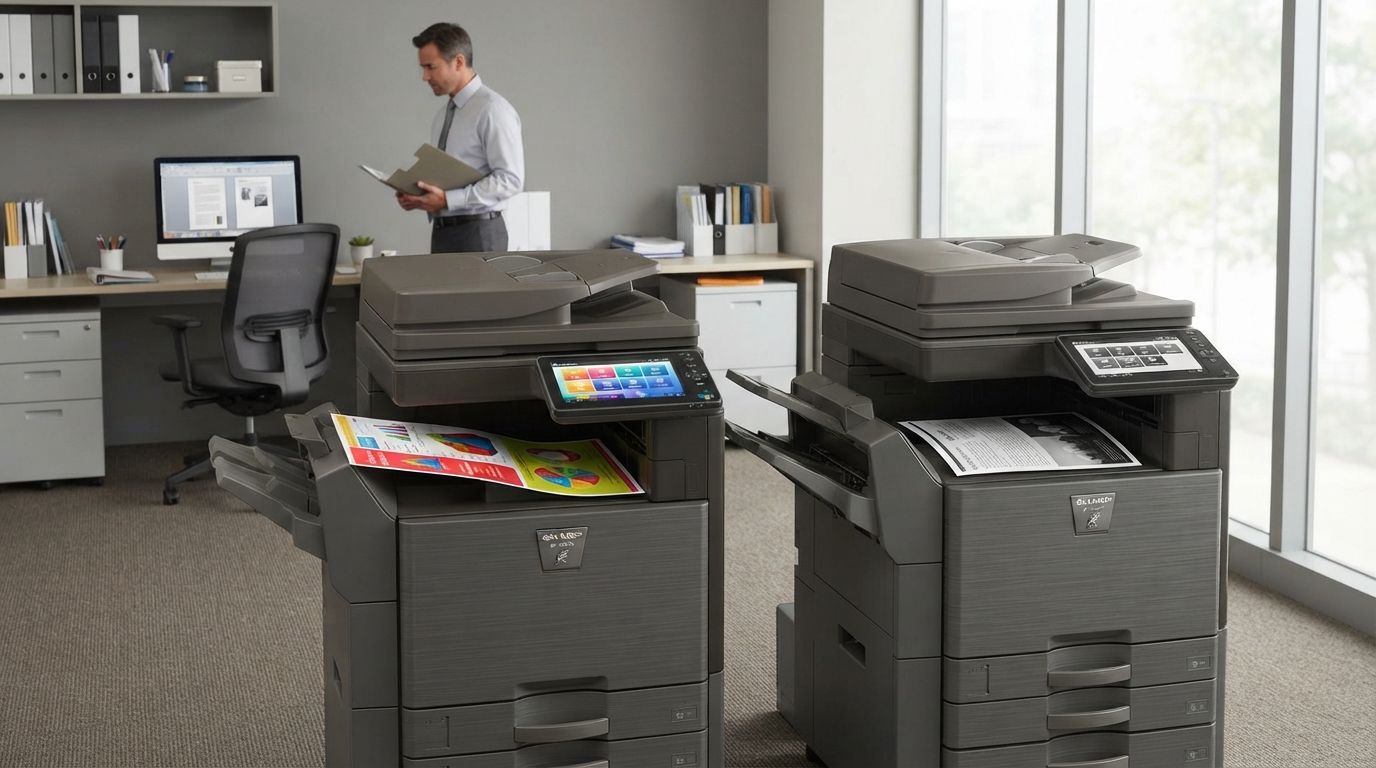
A color copier can produce both monochrome and color documents.
Depending on the model, it may support a wide range of materials, from everyday reports to presentations, charts, marketing collateral, and customer-facing documents.
Color can help businesses communicate information more clearly and produce materials that align with their branding.
For example, a Las Vegas real estate company may use color for property presentations, while a marketing agency may need it for proposals and client materials.
However, color printing can cost more per page. Businesses should understand their actual color usage before selecting equipment.
Compare Your Printing Habits First
The best way to choose is to review what your office prints.
Look at your existing copier reports, invoices, supply purchases, and employee requirements.
Ask three questions:
How many pages do we print each month?
Understanding your monthly volume helps you choose an appropriate machine and service arrangement.
How many of those pages genuinely require color?
A document with a company logo doesn’t necessarily need to be printed in color every time.
What happens if we cannot print in color?
If color is essential for presentations, marketing, diagrams, or customer-facing documents, a monochrome machine may create inconvenience.
Your answers can help determine whether color capability is worth the additional cost.
The Cost Difference Between Color and Black-and-White
Equipment costs vary by model and agreement. Color-capable devices may have different purchase or lease costs from comparable monochrome machines.
Operating expenses also depend on toner usage, maintenance, paper, print volume, and the terms of your service agreement.
Color printing often involves separate color and black-and-white usage rates in managed service agreements.
Before signing a copier lease, ask for the applicable rates and clarify how each page is counted.
A useful comparison includes:
- Monthly equipment payment
- Black-and-white cost per page
- Color cost per page
- Included monthly volume
- Toner and supplies
- Service and maintenance
- Additional usage fees
Don’t base your decision on the monthly payment alone.
When a Black-and-White Copier Makes Sense
A monochrome copier may be a good fit when most of your printing involves text and business records.
Accounting and Financial Offices
Accounting teams often print invoices, reports, reconciliations, and financial paperwork. If their color needs are limited, monochrome equipment may be sufficient.
Administrative Departments
Offices that primarily handle forms, schedules, and internal documents may not benefit enough from color printing to justify the additional expense.
Businesses With Tight Print Budgets
If cost control is a priority and employees rarely require color, a monochrome copier may be worth evaluating.
The key is to verify that it can handle the required speed, paper capacity, scanning, and monthly workload.
When a Color Copier Makes Sense
A color copier may be more appropriate when color documents are part of normal business operations.
Real Estate Companies
Property listings, marketing presentations, maps, and client proposals may benefit from color.
Marketing and Design Teams
Marketing departments often need color output for proofs, presentations, and promotional materials.
Construction and Engineering Offices
Some diagrams, charts, project plans, and presentations use color to distinguish information. Confirm that the selected machine supports the paper sizes and output requirements involved.
Hospitality and Event Businesses
Las Vegas hospitality and event companies may need color schedules, signage drafts, branded documents, and presentations.
Not every task requires color, but having the capability available can be useful when those jobs arise.
What About Sharp, Kyocera, and Xerox Copiers?
Sharp copiers offer color and monochrome multifunction options, depending on the product range.
Kyocera copiers also include equipment designed for different office workloads, while Xerox copiers provide options for businesses with a variety of printing and workflow requirements.
When comparing brands, evaluate the individual models rather than assuming every device from one manufacturer is better suited to a particular task.
Consider:
- Print speed
- Monthly workload
- Color capabilities
- Paper handling
- Automatic duplexing
- Scanning features
- Network connectivity
- Security controls
- Service availability
- Total operating cost
A suitable model should support the way your office works today while leaving enough flexibility for expected growth.
Can Your Office Use Both Types?
Some larger organizations benefit from a combination of monochrome and color devices.
For example, a company may use a high-volume black-and-white copier for routine documents and a color multifunction printer for presentations and marketing materials.
This arrangement can make sense when different departments have substantially different requirements.
However, adding more machines also introduces equipment, space, supply, and maintenance considerations.
Compare the cost and convenience of multiple devices with the simplicity of one properly selected multifunction printer.
Don’t Overlook Scanning
Whether you choose color or monochrome equipment, scanning may be just as important as printing.
Modern multifunction printers can support digital document workflows that reduce paper handling and make documents easier to distribute.
Before choosing a machine, check the scanning speed, document feeder, supported file formats, network features, and available destinations.
For many Las Vegas businesses, better scanning workflows can save employees time even when most printed documents are black and white.
Final Thoughts
Choosing between color and black-and-white equipment comes down to how your business uses printed documents.
A monochrome copier may be sufficient for offices focused on text and administrative paperwork. A color machine may be worth the additional investment for businesses that regularly produce marketing materials, presentations, diagrams, and branded documents.
Before choosing Sharp copiers, Kyocera, Xerox, or another brand, review your print volume and compare the complete cost of ownership.
Tangerine Office Machines can be a starting point for Las Vegas businesses comparing office equipment. The best choice is the one that balances cost, capability, and everyday convenience without paying for features your employees rarely use.