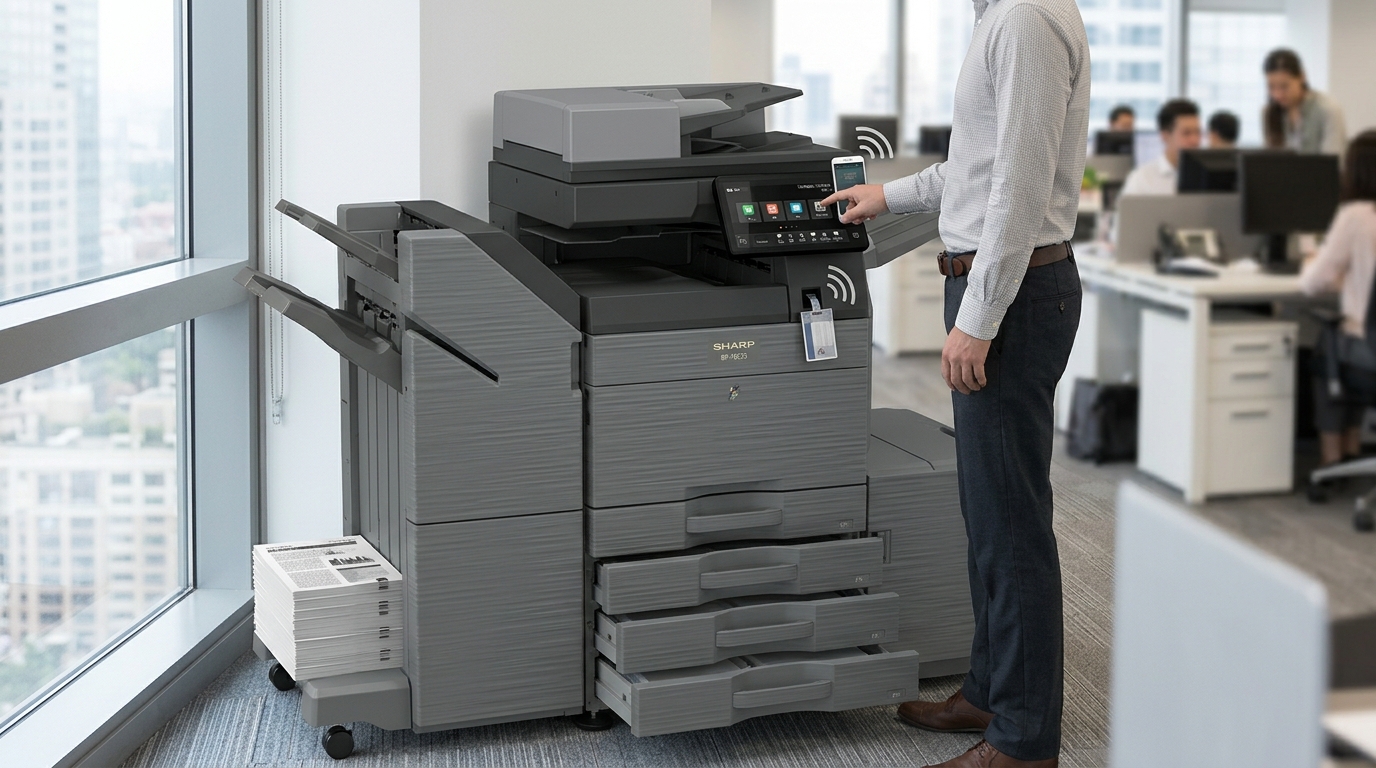
When shopping for office copiers in Las Vegas, businesses should look beyond printing speed and equipment price. Modern commercial copiers offer a variety of features that can improve document handling, support office workflows, and help employees complete everyday tasks more efficiently.
However, not every feature is necessary for every company.
The best copier is one that provides the capabilities your employees actually need without making the equipment unnecessarily complicated.
Here are eight important features to consider before selecting your next office copier.
1. Automatic Document Feeder
An automatic document feeder, or ADF, allows employees to scan or copy multiple pages without manually placing each sheet on the glass.
This feature is particularly useful for offices that frequently process:
- Contracts.
- Invoices.
- Financial statements.
- Customer applications.
- Employee records.
- Multi-page reports.
For businesses that scan large document batches, an ADF can save considerable time.
Some models also offer single-pass duplex scanning, which can scan both sides of a document in one pass.
If your employees regularly process double-sided documents, ask whether this capability is available.
2. Duplex Printing
Duplex printing allows a copier to print on both sides of a sheet of paper automatically.
For many businesses, this is a simple but valuable feature.
It can help reduce paper usage when printing suitable documents such as reports, internal communications, and training materials.
Duplex printing can also make longer documents easier to organize and handle.
When evaluating equipment, confirm whether automatic two-sided printing is included in the model you are considering.
3. Network and Wireless Connectivity
Modern offices rely on computers, mobile devices, and shared networks.
A copier should be compatible with your existing office environment.
Depending on the model, connectivity options may include wired Ethernet, wireless networking, and supported mobile printing features.
Network printing allows employees to send documents to a shared copier from their workstations.
Before selecting equipment, ask your IT department to confirm compatibility with your operating systems, network configuration, and security requirements.
4. Scan-to-Email and Scan-to-Folder
Scanning is an important part of modern document management.
A copier with scan-to-email functionality can allow employees to send scanned documents directly to designated email addresses.
Scan-to-folder capabilities can help route documents to approved network locations.
These features may be particularly useful for:
- Accounting departments.
- Property management companies.
- Legal offices.
- Administrative teams.
- Businesses handling customer paperwork.
Ask whether the proposed equipment supports the scanning destinations and authentication methods your office uses.
5. Secure Printing and User Authentication
Businesses should consider document security when selecting a copier.
Depending on the model, secure printing features may require employees to authenticate before documents are released.
This can help reduce the risk of confidential paperwork being left unattended in the output tray.
User authentication may also help businesses manage access to printing functions.
For offices that handle financial records, contracts, employee information, or other confidential documents, these features deserve careful consideration.
Your IT team should also review network security and the handling of data stored on the copier.
6. Multiple Paper Trays
Different departments may need to print on different paper sizes or types.
Multiple paper trays can make this easier.
For example, a business may need separate trays for standard letter paper, legal-size documents, and other frequently used media.
Having additional trays can reduce the need to manually change paper between print jobs.
When selecting equipment, identify the paper sizes your employees use most frequently.
7. Finishing Capabilities
Some commercial copiers offer optional finishing accessories.
Depending on the configuration, these may include stapling, sorting, hole punching, and booklet creation.
These capabilities can be useful for companies that regularly prepare:
- Business proposals.
- Training materials.
- Reports.
- Presentations.
- Customer packets.
- Internal manuals.
A business that prints these materials frequently may benefit from automated finishing.
However, if your office rarely produces organized document sets, a basic configuration may be sufficient.
8. Print Management and Usage Reporting
For businesses with multiple departments, understanding printing activity can be helpful.
Some copier systems offer usage reports and print-management features.
Depending on the equipment and software, these tools may help administrators review page counts, monitor usage, and establish printing policies.
This information can support better decisions about equipment capacity, supply management, and printing budgets.
It can also help identify whether certain departments need additional equipment or different printing arrangements.
Create a Copier Feature Checklist
Before requesting equipment recommendations, consider the following:
- Does your office need color printing?
- How many pages do employees print monthly?
- Do you scan multipage documents?
- Do you need automatic duplex scanning?
- How many employees will share the copier?
- Do you need multiple paper sizes?
- Is secure printing important?
- Do you need stapling or booklet finishing?
- Does the copier need to connect to your office network?
- Will your printing requirements increase?
Answering these questions can help narrow down the available equipment options.
Find Office Copiers That Match Your Workflow
The most advanced copier is not always the best copier for your company.
Your selection should reflect your daily document requirements, employee usage, and the functions that genuinely improve productivity.
Tangerine Office Machines helps businesses explore office copiers in Las Vegas and identify equipment that supports their operations.
Contact Tangerine Office Machines to discuss your required features and request a recommendation for your office.
A properly configured copier can help your employees spend less time managing documents and more time focusing on their responsibilities.