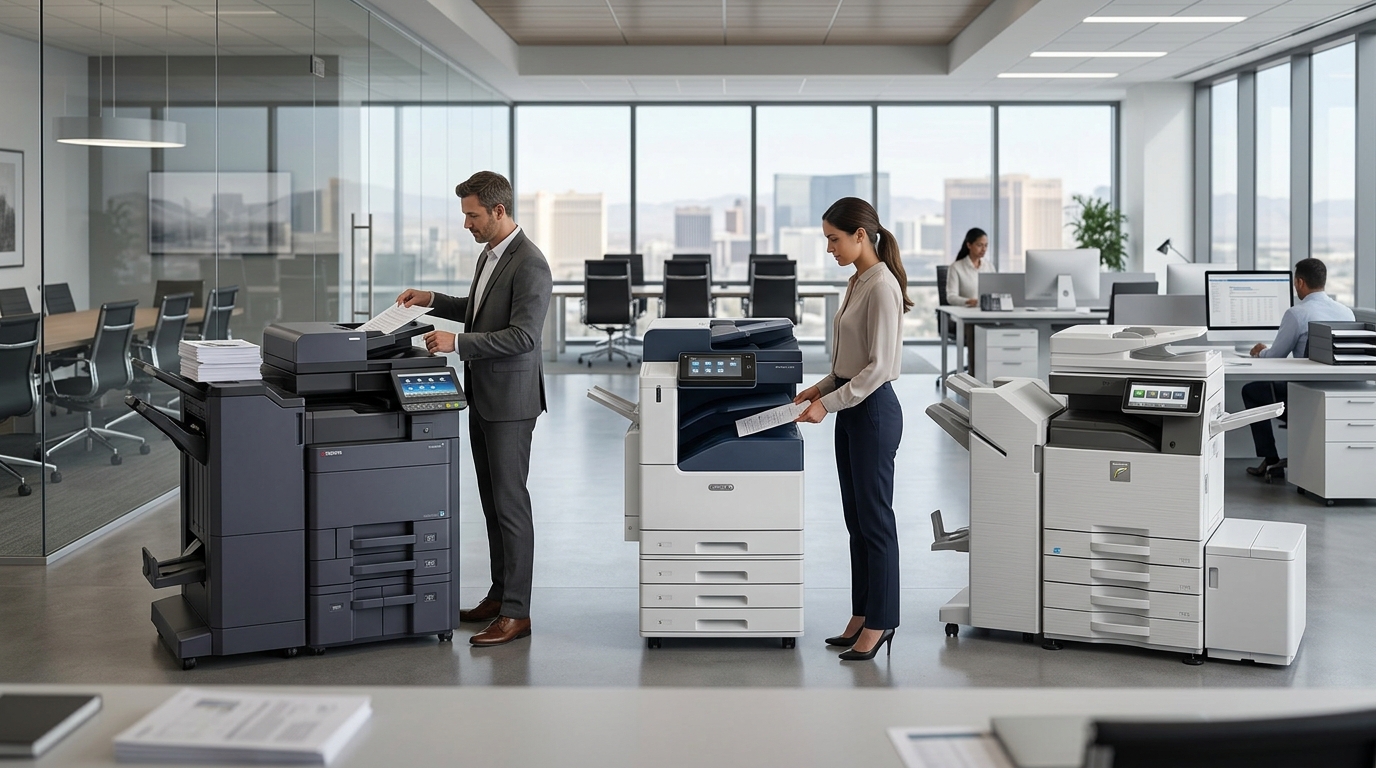
When businesses begin researching Kyocera copiers, Xerox copiers, and Sharp copiers, it is easy to get buried in model numbers, technical specifications, and feature lists. For a Las Vegas business, however, choosing office equipment should start with a simpler question: what does your team actually need the copier to do? Different offices have different workflows, print volumes, document requirements, and budgets, so the right equipment depends on the specific situation.
Kyocera, Xerox, and Sharp are established names in the office technology market, and each offers multifunction equipment designed for business environments. Rather than choosing based only on the brand name, businesses should look at the features, workflow, service requirements, and expected usage that matter most to their organization.
Start With Your Office Workflow
Before comparing brands, look at your employees’ daily routines.
How much does your office print?
How often do employees scan documents?
Do you need color?
How many people share the copier?
Do you produce large documents?
Do you frequently print customer-facing materials?
These questions provide a better starting point than simply asking which brand is “best.”
A copier is a tool. Its value comes from how effectively it supports the people using it.
Kyocera Copiers
Kyocera copiers are widely used in business environments where printing, copying, and scanning are part of everyday operations.
When evaluating Kyocera equipment, businesses should look at the specific model rather than making assumptions about the entire product line.
Consider print speed, paper capacity, color capabilities, scanning features, finishing options, connectivity, and the expected workload.
A small office may need very different capabilities from a large organization with several departments.
For businesses already familiar with Kyocera equipment, selecting a model that matches the office’s workload can be a straightforward approach.
Xerox Copiers
Xerox is another well-known name in office printing and document technology.
Businesses considering Xerox copiers should evaluate the same practical factors: expected volume, speed, scanning, color requirements, paper handling, workflow features, and service.
Brand recognition alone should not determine the decision.
Instead, look at the specific Xerox model being considered and compare its capabilities with what employees actually need.
If your team produces large numbers of documents every day, pay particular attention to equipment capacity and productivity features.
If scanning is a major part of your workflow, investigate the scanning capabilities closely.
Sharp Copiers
Sharp copiers are another option businesses can consider when evaluating multifunction office equipment.
As with Kyocera and Xerox, Sharp offers equipment designed for different business environments and requirements.
The right model depends on the office.
A small professional office may have straightforward printing and scanning requirements, while a larger company may need higher volume, faster output, additional paper capacity, and advanced workflow capabilities.
The important point is to compare individual equipment capabilities rather than choosing solely based on brand.
Brand vs. Model
This is one of the most important things to remember when comparing office copiers.
A brand name tells you who made the equipment.
It does not necessarily tell you whether a particular model fits your business.
For example, your company may find one model from a particular brand that fits perfectly, while another model from the same brand may not match your requirements.
That is why copier selection should focus on the combination of brand, model, features, expected volume, and service.
Print Volume Should Guide Your Choice
Your monthly print volume is one of the most useful numbers when comparing equipment.
If your business prints only a few thousand pages per month, your requirements will be different from an office producing tens of thousands.
You should also consider peak volume.
A copier might comfortably handle your average workload but struggle during the busiest weeks of the month.
Talk to your copier provider about your expected volume and explain how the machine will actually be used.
That information can help narrow down the available options.
Color or Black-and-White?
Another major consideration is color.
If your business primarily produces invoices, internal documents, forms, contracts, and other text-heavy materials, black-and-white printing may meet most of your needs.
If you regularly produce proposals, presentations, marketing materials, graphics, or customer-facing documents, color may be more important.
The decision should be based on actual usage.
Do not pay for capabilities your office rarely uses, but do not overlook features that have a direct impact on your customer-facing work.
Scanning Has Become Essential
Printing gets most of the attention when businesses shop for copiers, but scanning is increasingly important.
Many offices are managing a combination of physical and digital documents.
Employees may receive a paper document and need to digitize it. They may scan contracts, forms, invoices, receipts, or records.
A multifunction copier can help centralize those tasks.
When comparing Kyocera, Xerox, and Sharp equipment, look carefully at scanning capabilities if your office depends heavily on document digitization.
Consider the Number of Users
How many people will use the copier?
This can dramatically change what type of equipment makes sense.
A machine used by three employees in a small office may have a very different workload from one shared by 50 employees.
If a large number of people use the same copier, speed and paper capacity become increasingly important.
You may also want to consider whether multiple machines would improve workflow.
Sometimes adding another appropriately sized device can make more sense than asking one machine to handle every department.
Think About Ease of Use
A copier can have impressive specifications and still frustrate employees if it is difficult to operate.
Consider the user interface.
Can employees easily select the functions they need?
Is scanning straightforward?
Can users quickly change common settings?
Small usability improvements can matter when dozens of employees interact with the machine every day.
When possible, let the people who will actually use the equipment have input.
Service Is Part of the Equipment Decision
A copier is not simply a machine.
It is part of a business process.
If something goes wrong, the quality of service and support can directly affect productivity.
That is why businesses comparing Kyocera copiers, Xerox copiers, and Sharp copiers should also ask about service.
Find out how maintenance is handled.
Ask how quickly service calls are addressed.
Understand what supplies are included.
Ask what happens if a repair requires additional parts or extended downtime.
A good equipment decision considers both the machine and the support behind it.
Buying, Leasing, or Renting
Your brand decision is only one part of the process.
You also need to determine how you want to acquire the equipment.
Businesses may consider purchasing, leasing, or renting depending on their circumstances.
Rental can be useful for temporary requirements or businesses that value flexibility.
Leasing can be considered by companies looking for a longer-term equipment arrangement.
Purchasing may appeal to businesses that want ownership.
The right approach depends on your company’s financial and operational preferences.
Why Local Las Vegas Support Matters
A business does not operate in a vacuum.
When office equipment is an important part of your workflow, having a local copier provider can make equipment management more convenient.
Las Vegas businesses have diverse needs, from professional offices and property management companies to hospitality, construction, healthcare, and event-related organizations.
A local provider can help businesses evaluate equipment based on their specific environment.
Questions to Ask When Comparing Brands
Before choosing between Kyocera, Xerox, and Sharp equipment, consider asking:
- What is the recommended monthly volume?
- What is the print speed?
- Is the model available in color?
- How capable is the scanning system?
- How much paper can it hold?
- What finishing options are available?
- How many users can reasonably share the machine?
- What maintenance is required?
- What service is included?
- What are the available rental or lease terms?
These questions keep the conversation focused on your actual business needs.
Avoid Choosing Based on a Single Feature
It can be tempting to focus on one specification.
Maybe one copier is faster.
Another has a larger paper capacity.
Another has a particular feature your employees like.
But a copier is a complete system.
You need to consider how the equipment performs across the tasks your business performs every day.
A slightly faster machine may not be the right fit if your office depends heavily on scanning. A machine with advanced finishing may not be necessary for an office that rarely produces presentations.
Look at the whole workflow.
The Right Copier Depends on the Business
There is no single copier that makes sense for every Las Vegas company.
A startup may prioritize simplicity and flexibility.
A larger organization may prioritize speed and capacity.
A company that produces marketing materials may prioritize color.
A document-heavy office may place greater importance on scanning and paper handling.
Those differences are exactly why copier selection should be approached as a business decision rather than simply a brand decision.
Making the Comparison Easier
When comparing Kyocera copiers, Xerox copiers, and Sharp copiers, start by writing down your requirements.
For example:
Monthly volume: Estimate your average and peak usage.
Color: Determine whether color is essential or occasional.
Scanning: Identify how frequently employees digitize documents.
Users: Count the people and departments sharing the equipment.
Speed: Consider how often employees wait for large print jobs.
Paper capacity: Think about how frequently employees reload paper.
Service: Understand what support is available.
Once those requirements are clear, comparing specific models becomes much easier.
A Practical Approach to Choosing Office Equipment
The goal is not to find a copier with the longest feature list.
The goal is to find equipment that helps your employees work efficiently.
Kyocera, Xerox, and Sharp all provide businesses with equipment to evaluate, but the best match depends on the specific model and the requirements of your office.
For Las Vegas businesses, the selection process should also include service, support, rental or lease options, and long-term equipment needs.
Take the time to understand your workflow first.
Then compare the equipment.
When you approach copier selection this way, the decision becomes much less about choosing a logo on the front of a machine and much more about finding equipment that fits the way your business actually works.