
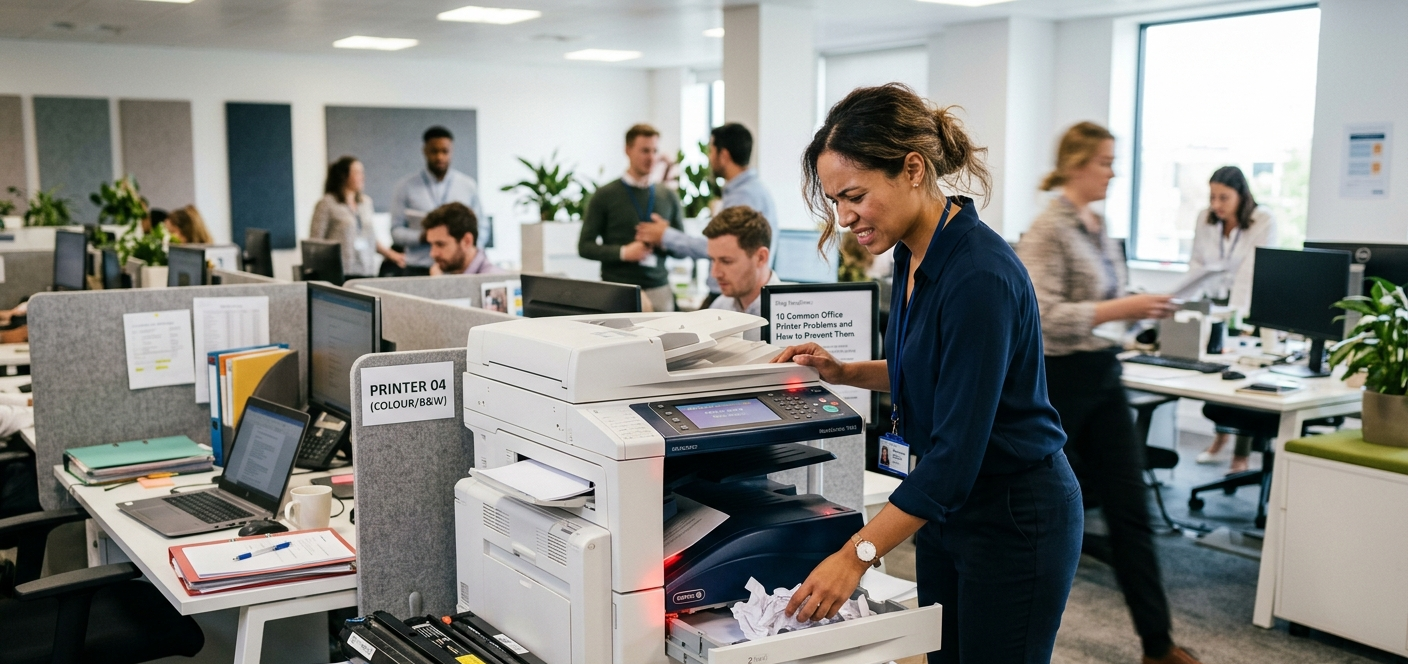
In today’s business environment, printers and copiers play a critical role in keeping operations running smoothly. From printing contracts and invoices to scanning documents and producing presentations, office equipment is often at the center of daily workflows.
Unfortunately, many businesses don’t think about their printers until something goes wrong.
Even minor office printer problems can cause significant disruptions, including lost productivity, employee frustration, delayed projects, and unexpected repair expenses. The good news is that many common printer issues can be prevented with proper maintenance, routine inspections, and a few best practices.
Below are 10 of the most common office printer problems businesses experience—and what you can do to prevent them.
1. Frequent Paper Jams
Paper jams are among the most common and frustrating printer issues in any office.
Several factors can contribute to recurring paper jams, including:
- Poor-quality paper
- Incorrect paper loading
- Worn feed rollers
- Dust and debris buildup inside the printer
How to Prevent It
- Use high-quality paper recommended by the manufacturer.
- Store paper in a dry environment to prevent moisture absorption.
- Avoid overloading paper trays.
- Ensure paper guides are properly aligned.
- Schedule routine maintenance to inspect and replace worn rollers.
Preventive maintenance can significantly reduce the likelihood of repeated printer jams and keep productivity on track.
2. Slow Printing Speeds
When employees are waiting several minutes for documents to print, productivity suffers.
Slow printing can be caused by:
- Large print jobs
- Network congestion
- Outdated printer drivers
- High-resolution print settings
How to Prevent It
- Update printer drivers regularly.
- Review print settings and lower resolution when appropriate.
- Break up large print jobs when possible.
- Ensure network infrastructure can support office printing demands.
- Consider upgrading older equipment if performance has declined.
Modern office printers are designed to handle higher workloads more efficiently than aging devices.
3. Poor Print Quality
Nothing looks less professional than documents with streaks, faded text, smudges, or missing colors.
Common causes include:
- Low toner levels
- Dirty internal components
- Worn imaging drums
- Improper maintenance
How to Prevent It
- Replace toner cartridges before they become completely depleted.
- Follow manufacturer maintenance recommendations.
- Run cleaning cycles regularly.
- Schedule professional service inspections.
Routine office printer maintenance helps maintain consistent print quality and prevents small issues from becoming costly repairs.
4. Printer Not Connecting to the Network
Network connectivity problems can bring office workflows to a halt.
Common causes include:
- Wi-Fi disruptions
- IP address conflicts
- Incorrect network configurations
- Connectivity interruptions
How to Prevent It
- Verify network settings regularly.
- Assign static IP addresses when appropriate.
- Maintain a stable network environment.
- Work with your IT team to address recurring connectivity issues.
Reliable network connectivity is essential for today’s shared office printing environments.
5. Toner Running Out Too Quickly
If your office constantly seems to be replacing toner cartridges, there may be an underlying issue.
Common causes include:
- High-volume printing
- Excessive color printing
- Inefficient print settings
- Lack of usage monitoring
How to Prevent It
- Use draft mode for internal documents.
- Encourage duplex (double-sided) printing.
- Monitor print volume and usage trends.
- Implement print policies to reduce unnecessary printing.
Many businesses benefit from Managed Print Services (MPS), which provide usage monitoring and automatic toner replenishment to help control costs.
6. Printer Offline Errors
One of the most confusing office printer issues occurs when a printer suddenly appears offline despite being powered on.
This can result from:
- Communication failures
- Network interruptions
- Software conflicts
- Driver issues
How to Prevent It
- Restart both the printer and connected devices.
- Confirm the correct default printer is selected.
- Update printer firmware and drivers regularly.
- Ensure stable network connectivity.
Keeping software and firmware current can prevent many offline-related issues.
7. Scan-to-Email or Scan-to-Folder Failures
Many businesses rely heavily on scanning functions for document management.
When scan-to-email or scan-to-folder features stop working, common causes include:
- Incorrect login credentials
- Email server updates
- Folder permission changes
- Network configuration issues
How to Prevent It
- Review scanning settings periodically.
- Update credentials after IT changes.
- Verify folder permissions remain intact.
- Test scanning functionality regularly.
Proactive monitoring helps ensure these essential workflows remain uninterrupted.
8. Frequent Error Messages
Generic error messages can be frustrating because they often provide limited information.
These alerts may stem from:
- Sensor malfunctions
- Toner or supply warnings
- Firmware issues
- Internal hardware problems
How to Prevent It
- Address warning messages promptly.
- Follow manufacturer recommendations.
- Keep firmware up to date.
- Schedule service before minor issues escalate.
Ignoring warning messages often leads to larger, more expensive repairs later.
9. Unexpected Printer Downtime
Unexpected downtime can disrupt entire departments and delay critical business operations.
Common causes include:
- Aging equipment
- Deferred maintenance
- Heavy monthly print volumes
- Mechanical wear and tear
How to Prevent It
- Establish a preventive maintenance schedule.
- Monitor equipment performance regularly.
- Replace outdated devices before failures occur.
- Partner with a reliable service provider for ongoing support.
Proactive maintenance is often far less expensive than emergency repairs and lost productivity.
10. Security Risks and Unauthorized Access
Modern printers are no longer simple standalone devices. They are network-connected systems that can store, process, and transmit sensitive information.
Potential security risks include:
- Unauthorized document access
- Data breaches
- Weak user authentication
- Outdated firmware vulnerabilities
How to Prevent It
- Implement secure user authentication.
- Restrict access to authorized personnel.
- Update firmware regularly.
- Establish office print security policies.
- Encrypt sensitive print data when possible.
Printer security should be part of every organization’s broader cybersecurity strategy.
Why Preventive Maintenance Matters
The most effective way to avoid common office printer problems is through regular preventive maintenance.
A proactive maintenance program helps businesses:
- Reduce downtime
- Extend equipment lifespan
- Improve print quality
- Lower long-term operating costs
- Prevent emergency service calls
- Increase employee productivity
Many maintenance plans include labor, parts, preventive service visits, and supplies, providing businesses with predictable costs and greater peace of mind.
Rather than reacting to equipment failures, businesses can keep their printers operating efficiently year-round.
When to Call a Professional
While some printer troubleshooting can be handled internally, certain problems require expert attention.
Consider contacting a professional if you experience:
- Recurring paper jams
- Persistent error codes
- Ongoing print quality problems
- Network connectivity issues that won’t resolve
- Frequent downtime
- Repeated service interruptions
Attempting repeated DIY fixes can sometimes worsen the problem, leading to additional damage and higher repair costs.
An experienced technician can quickly identify the root cause and restore equipment to proper working condition.
Conclusion
Most office printer problems are preventable with proper maintenance, proactive monitoring, and timely service. By addressing minor issues early and following recommended maintenance practices, businesses can reduce downtime, improve productivity, and avoid costly repairs.
Your team should be focused on serving customers and growing the business—not constantly troubleshooting printers.
If you’re experiencing recurring office printer issues, partnering with a trusted service provider can help keep your equipment running efficiently and reliably.
Need Help with a Printer or Copier Issue?
Experiencing printer problems in your office? Contact Tangerine Office Machines today for expert printer repair, maintenance plans, and managed print solutions that keep your business running smoothly.
Whether you need routine office printer maintenance, copier repair, troubleshooting support, or a long-term service solution, our team is ready to help businesses throughout Las Vegas minimize downtime and maximize productivity.