For businesses that print, copy, and scan documents every day, purchasing office equipment is not the only option. Long-term copier rental in Las Vegas can give a company access to dependable office printing technology while helping it avoid a large upfront equipment purchase. Depending on the agreement, the rental may also provide a more predictable way to plan for equipment service and ongoing printing needs.
The right arrangement depends on your company’s workload, budget, growth plans, and expectations for support. A small office with a few employees may need a different solution from a property management company, medical office, engineering firm, or busy administrative department. Before choosing a rental plan, it is important to understand what long-term rental includes and how it compares with other equipment options.
What Is Long-Term Copier Rental?
Long-term copier rental allows a business to use office printing equipment over an extended period in exchange for recurring payments. The exact term and payment structure depend on the provider and agreement.
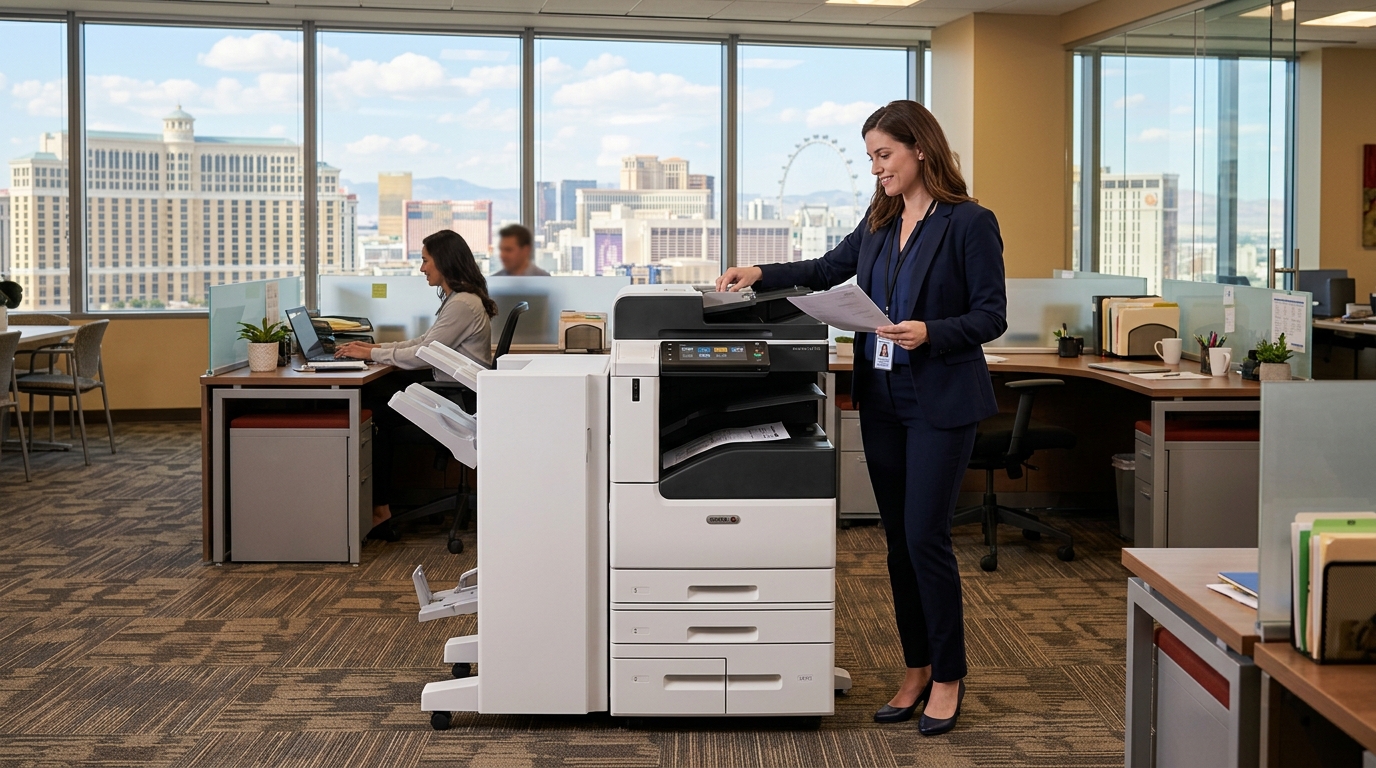
A rental may include a multifunction copier that can print, copy, and scan documents. Depending on the selected model, it may also offer duplex printing, network connectivity, multiple paper trays, color output, and finishing options.
The agreement determines the responsibilities of the business and provider. Some plans may include maintenance or supplies, while others may charge separately for service, toner, or pages printed. Do not assume that every rental plan covers the same items.
Why Las Vegas Businesses Consider Long-Term Copier Rental
1. Preserve upfront capital
Buying a commercial copier can require a significant initial payment, particularly when a business needs a higher-volume machine with advanced features. Renting may allow the company to spread equipment expenses over time instead of paying the entire purchase price upfront.
Preserving capital can be helpful for businesses that would rather direct funds toward staffing, inventory, marketing, technology upgrades, or daily operations. However, recurring rental payments still represent a financial commitment, so compare the full contract cost with the cost of ownership.
2. Match equipment to daily printing needs
The correct copier should reflect how the business operates. An office that regularly prints contracts, reports, invoices, and customer documents may benefit from a multifunction device that consolidates several tasks.
Long-term rental gives a business an opportunity to choose equipment based on current needs without immediately purchasing it. Before selecting a model, estimate monthly print volume, the ratio of color to black-and-white pages, the number of users, and any special paper or finishing requirements.
3. Plan for maintenance and service
Equipment downtime can interrupt work and frustrate employees. Depending on the rental agreement, maintenance and repair support may be included or available through a separate service plan.
Ask what happens when the copier develops a problem, whether service visits are covered, and how response times are handled. If supplies are included, clarify which supplies qualify and whether usage limits apply.
A clearly defined service arrangement can make budgeting easier, but the contract should spell out the actual coverage rather than relying on general assurances.
4. Support business growth
A company may add employees, open another location, or increase its document workload over time. A copier that worked well for a small team may struggle when the business expands.
When evaluating long-term rental, ask how the provider handles changing requirements. Can the company upgrade equipment, add another machine, or adjust the arrangement if print volume changes? Understand any fees, minimum terms, or approval requirements before relying on that flexibility.
Long-Term Copier Rental vs. Copier Leasing
The terms rental and lease are sometimes used interchangeably in everyday conversation, but the agreements may differ. Their exact meaning depends on the provider, contract, and applicable terms.
| Consideration | Long-term copier rental | Copier lease |
|---|---|---|
| Payment structure | Recurring payments defined by the rental agreement | Recurring payments defined by the lease |
| Service and supplies | Included only if the agreement says so | May require a separate service or supplies agreement |
| Equipment changes | Depends on upgrade and replacement terms | Depends on lease terms and any upgrade options |
| End of term | Return, extension, or other terms stated in the agreement | Return, renewal, purchase, or other terms stated in the agreement |
| Best comparison method | Total rental cost and included services | Total lease cost, obligations, and end-of-term terms |
Do not choose based on the name of the arrangement alone. Compare the total payments, equipment specifications, service coverage, usage allowances, early termination terms, and end-of-term responsibilities.
How Much Does Long-Term Copier Rental Cost?
There is no single price that applies to every business. Your quote may depend on:
- Copier capacity: Higher-volume machines may cost more than equipment intended for lighter workloads.
- Color capability: Color printing can have a different cost structure from black-and-white printing.
- Monthly print volume: Agreements may include a page allowance or separate per-page charges.
- Rental duration: The price may vary with the length and structure of the agreement.
- Service coverage: Maintenance, parts, labor, and response-time commitments can affect cost.
- Supplies: Toner and other consumables may be included, limited, or billed separately.
- Installation: Delivery, network configuration, and setup may create additional charges.
Ask for a written breakdown that includes recurring payments, usage charges, installation, service, supplies, and any fees that could apply during or at the end of the agreement. That makes it easier to compare providers fairly.
Choosing the Right Copier for a Long-Term Arrangement
Start with your print volume
Estimate how many pages your business produces each month. Include printing, copying, and any significant seasonal changes. If possible, review existing copier reports or printer usage data rather than relying entirely on estimates.
A machine that is too small for the workload may require frequent attention and create delays. An oversized device may mean paying for capacity your office rarely uses.
Consider your document workflow
Look beyond printing speed. Ask whether employees need to scan multipage contracts, send documents to email, save files to network folders, print from multiple computers, or produce stapled reports.
If employees frequently handle sensitive documents, consider user authentication, secure print release, and appropriate data-handling procedures.
Evaluate the brands and models available
Businesses may compare equipment from manufacturers such as Kyocera, Xerox, and Sharp, among others. Each specific model should be evaluated against your actual requirements rather than assuming that a brand name alone guarantees the best fit.
Review the machine’s recommended workload, supported paper sizes, color capability, scanning features, connectivity, and availability of service and supplies.
Questions to Ask Before Signing
Before committing to a long-term copier rental in Las Vegas, ask the provider:
- What is the full rental term, and can it be renewed?
- What is included in the monthly payment?
- Are maintenance, parts, labor, and toner covered?
- Are there page allowances or excess-usage charges?
- How are service calls requested, and what response time applies?
- Can the equipment be upgraded if our business grows?
- Are delivery, installation, and network setup included?
- What happens if we need to move offices?
- What are the early termination and equipment return requirements?
- Are there end-of-term fees or other obligations?
Review the agreement carefully, especially if the business expects its needs to change before the term ends.
Is Long-Term Rental Better Than Buying?
Long-term rental may appeal to companies that prefer recurring payments, want to avoid a large equipment purchase, or value having a defined service arrangement. Buying may make sense for businesses that want to own the equipment, expect to use it for many years, and are comfortable handling maintenance and replacement planning.
To compare these options, estimate the total cost over the same period. Include purchase price, financing costs if applicable, service, supplies, repairs, and eventual replacement for ownership. For rental, include all payments, usage charges, and additional fees.
Also consider nonfinancial factors such as administrative workload, the importance of service support, and the ability to change equipment as your needs evolve.
Make Copier Rental Work for Your Las Vegas Office
A long-term copier rental can be a practical fit when the agreement aligns with your budget and day-to-day document requirements. The most important step is to understand what you are paying for and how the equipment will be supported throughout the term.
Before requesting a quote, document your approximate monthly print volume, color requirements, number of users, scanning needs, and expected term. Ask for itemized pricing and compare the agreement with both leasing and ownership options.
Tangerine Office Machines serves the Las Vegas office technology market and can be a resource as your business evaluates copier needs. Discuss your workload, preferred equipment features, and service expectations to explore an arrangement that fits your operation.
The right decision is not necessarily the lowest monthly payment. It is the option that gives your team the capabilities it needs, with costs and responsibilities your business can plan around.