Choosing copier rental in Las Vegas involves more than finding a machine with an affordable monthly rate. Your copier needs to support the way your business prints, scans, copies, and shares documents. The right equipment can help employees work efficiently, while a poor match can lead to unnecessary costs, frustrating delays, and features your team rarely uses.
Whether you manage a small office, a growing company, a professional services firm, or a busy administrative department, it helps to evaluate your needs before requesting a quote. This guide explains the key factors to consider when selecting a rental copier for your Las Vegas business.
Why Businesses Rent Copiers
Renting a copier gives businesses access to office equipment without necessarily purchasing it outright. It can be useful when a company needs equipment for a defined period, wants to preserve upfront capital, or needs additional printing capacity.
Common reasons to consider copier rental include:
- Opening a temporary or new office
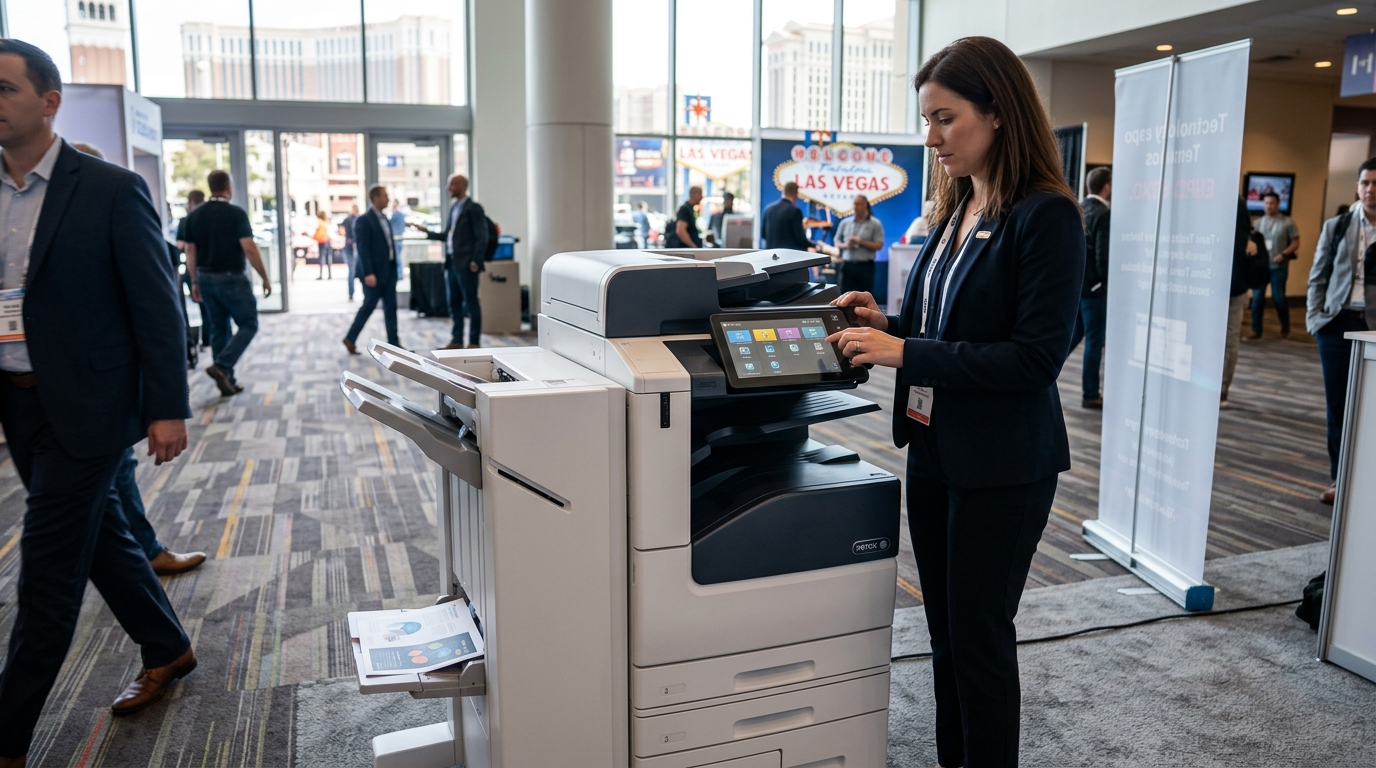
- Supporting a convention, conference, or business event
- Handling a short-term increase in document volume
- Replacing a copier that is being repaired
- Equipping a project site
- Evaluating equipment needs before making a longer-term decision
Rental agreements differ, so it is important to confirm the available terms, equipment options, service arrangements, and return requirements before signing.
Step 1: Estimate Your Monthly Print Volume
Print volume is one of the most important factors in choosing a copier. A small office printing occasional forms has different requirements from a company that regularly produces reports, contracts, invoices, and customer documents.
Start by estimating how many pages your team prints and copies in a typical month. If you already use office equipment, review its usage reports when available. Include busy periods, large projects, and any expected changes in staffing.
Ask your rental provider to recommend equipment suited to your expected workload. Choosing a machine with too little capacity may lead to delays or excessive wear. Choosing a high-capacity model when you rarely use it may add unnecessary expense.
Also ask whether the agreement includes a monthly page allowance and how additional usage is charged.
Step 2: Decide Whether You Need Color Printing
Not every office needs color printing every day. Black-and-white printing may be sufficient for invoices, internal reports, forms, and many administrative documents.
Color may be important if your business regularly prints:
- Marketing materials and promotional documents
- Presentations and charts
- Client-facing proposals
- Product information and sales materials
- Plans or documents where color distinctions matter
If color is only needed occasionally, compare the total cost of the available options. Consider the equipment payment, color-page charges, and whether employees can use a separate color device when needed.
The goal is to choose the most economical setup that still meets your business requirements.
Step 3: Look Beyond Basic Printing
Many modern copiers are multifunction devices that combine printing, copying, and scanning. These features can help reduce the need for several separate office machines.
Consider whether your employees need the following capabilities.
Automatic document feeding
An automatic document feeder can simplify scanning or copying multipage documents. It is especially useful for contracts, applications, and administrative records.
Duplex printing
Automatic two-sided printing can reduce paper consumption for suitable documents. If your business prints lengthy reports or internal paperwork, this feature may be valuable.
Network and wireless connectivity
Multiple employees may need access to the same copier. Confirm compatibility with your office network, computers, and any approved wireless printing requirements.
Scan-to-email and scan-to-folder
Scanning directly to approved email addresses or network folders can simplify document sharing. Ask which destinations and authentication methods the device supports.
Finishing features
Some offices need stapling, sorting, or other finishing capabilities for reports, meeting materials, and presentations. If these features are essential, confirm that the proposed machine supports them.
Avoid paying extra for features your team will not use. A clear list of everyday tasks makes it easier to choose appropriately.
Step 4: Choose a Copier That Fits Your Office
Physical space and placement matter. Before arranging delivery, measure the intended location and check the machine’s dimensions, clearance requirements, power needs, and access for delivery personnel.
Consider how employees will approach the device and whether paper loading or maintenance could obstruct a walkway. A copier placed near the people who use it most may reduce unnecessary movement, but it should not interfere with office traffic.
For temporary offices and events, verify that the location can accommodate the machine and that the installation plan meets the building’s requirements. If the copier needs a network connection, coordinate with your IT contact before delivery.
Step 5: Compare Rental Costs Carefully
A low advertised payment does not necessarily represent the lowest total cost. Ask for an itemized quote and check for charges related to:
- Rental duration and minimum term
- Equipment type and included features
- Delivery and installation
- Monthly page allowances
- Additional black-and-white or color pages
- Toner and other supplies
- Maintenance and repairs
- Network setup or relocation
- Pickup, return, or early termination
For a fair comparison, request quotes for similar equipment and the same expected usage. One provider may include service and supplies while another may charge for them separately.
Also ask how the provider handles unexpected changes in print volume. Understanding these details upfront can help you avoid surprises.
Step 6: Understand Service and Maintenance
A copier that stops working can interrupt essential tasks. Before renting, determine what support is available and who is responsible for keeping the machine operational.
Ask whether service calls, labor, replacement parts, and routine maintenance are included. Confirm how to report a problem, what response time is promised, and whether support is available during your operating hours.
For a rental tied to a conference or fixed project deadline, ask about the process for urgent issues. Do not assume that every provider offers the same service coverage.
It is also worth clarifying which problems are covered by the agreement and which may incur additional charges.
Step 7: Consider Security and Document Privacy
Copiers may store data temporarily or retain information through internal storage, depending on the model and configuration. Scanning functions can also send sensitive files to email accounts or network folders.
If your business handles confidential information, discuss security requirements before choosing a device. Potential considerations include:
- User authentication or PIN-based printing
- Secure print release
- Access controls for scanning destinations
- Network security settings
- Appropriate handling of stored documents
- Secure data removal when equipment is returned
Coordinate with your IT team to ensure the machine fits your organization’s security policies. At the end of the rental, ask the provider how stored data is handled and whether a documented data-clearing procedure is available.
Step 8: Match the Rental Term to Your Needs
The right rental duration depends on why you need the copier. A business event may require only a few days, while a temporary office may need several months of equipment access.
Before signing, confirm the minimum term, extension process, early return rules, and fees that may apply if your plans change. If your company expects to need the machine for an extended period, compare long-term rental and copier leasing options as well.
Do not select a longer agreement simply because the monthly rate appears lower. Compare the total commitment and consider whether your equipment needs may change during that time.
Which Copier Brands Should You Consider?
Businesses may compare models from Kyocera, Xerox, Sharp, and other manufacturers. The right choice depends on the specific model, its capabilities, service availability, and the terms offered by the rental provider.
Rather than choosing by brand alone, compare:
- Recommended print workload
- Print speed and paper handling
- Color or black-and-white capability
- Scanning and finishing functions
- Connectivity and compatibility
- Maintenance and supply arrangements
- Total rental cost
Ask the provider to explain how each proposed model matches your usage. A well-matched machine is generally more useful than a device selected only because it has the longest feature list.
A Copier Rental Checklist for Las Vegas Businesses
Before requesting a quote, prepare the following information:
- Your expected rental start and end dates
- Approximate monthly print volume
- Whether you need color, black-and-white, or both
- Number of employees who will use the copier
- Required paper sizes and finishing features
- Scanning and network requirements
- Delivery location and access restrictions
- Whether service and supplies must be included
- Your budget and any deadline for installation
- Any security or document-handling requirements
This information helps the provider recommend equipment that meets your actual needs and makes quotes easier to compare.
Find the Right Copier Rental in Las Vegas
The best copier rental is the one that fits your workload, office environment, budget, and rental timeline. Taking time to evaluate print volume, required features, support, and contract terms can help you make a more confident decision.
Tangerine Office Machines is a local resource for businesses evaluating office printing equipment in Las Vegas. Contact the team to discuss your printing requirements and ask about available copier options for your intended rental period.
Before committing, request a written quote that explains the equipment, recurring charges, usage allowances, service coverage, and end-of-term responsibilities. A clear agreement helps you plan with confidence and gives your team the equipment it needs to keep work moving.